Introduction
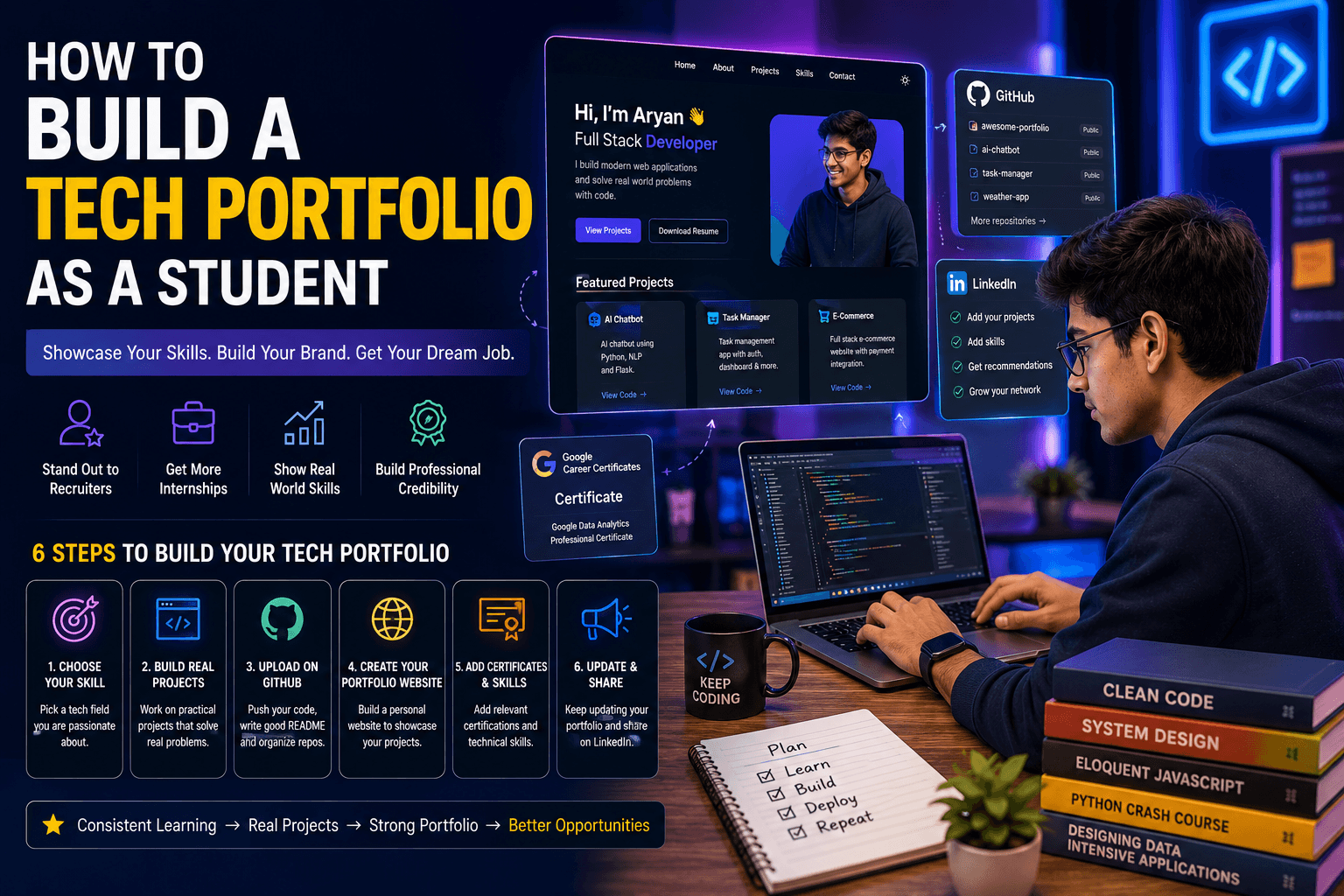
Are you a student wondering how to build a tech portfolio as a student? You're not alone. A strong portfolio is your ticket to landing internships, freelance gigs, and even your first job. It showcases your skills, projects, and passion. In this guide, we'll walk you through every step, from choosing projects to publishing your portfolio. Let's dive in!
Why You Need a Tech Portfolio
A tech portfolio is more than just a resume—it's proof of what you can do. Employers want to see real projects, not just bullet points. A portfolio helps you stand out, especially if you lack work experience. It also demonstrates your ability to learn and complete projects. Whether you're into web development, data science, or app development, a portfolio is essential.
Step 1: Choose the Right Projects
Your portfolio is only as strong as your projects. Pick projects that solve real problems or showcase your skills. For beginners, start with simple projects like a to-do app, a personal blog, or a weather dashboard. As you advance, tackle more complex projects. Aim for 3-5 solid projects that demonstrate different skills. Don't forget to include projects from our courses if you've taken any!
Tips for Selecting Projects
- Relevance: Choose projects related to your target role.
- Variety: Show different technologies (e.g., React, Python, SQL).
- Impact: Highlight projects with measurable results (e.g., "Reduced load time by 30%").
Step 2: Document Your Work
Good documentation makes your portfolio shine. For each project, include a clear description, technologies used, your role, and key challenges. Add screenshots or live demos if possible. Write a brief README file on GitHub explaining how to run the project. This shows you care about clarity and collaboration.
Step 3: Build Your Portfolio Website
Your portfolio needs a home—a personal website. Use platforms like GitHub Pages, Netlify, or Vercel for free hosting. Keep the design clean and professional. Include these sections: About, Projects, Skills, Resume, and Contact. Use a simple template or build from scratch. Make sure it's mobile-friendly and fast.
Essential Sections
- About: A short bio with your current status and goals.
- Projects: Cards with titles, descriptions, and links.
- Skills: List of technologies you're comfortable with.
- Resume: Downloadable PDF.
- Contact: Email, LinkedIn, GitHub.
Step 4: Showcase Your Code
Link your GitHub profile and ensure your repositories are well-organized. Use clear commit messages and add a README for each project. Pin your best projects to the top. Employers often check GitHub to see how you code, so keep it clean.
Step 5: Include Soft Skills and Contributions
Don't just list technical skills. Mention teamwork, communication, and problem-solving. If you've contributed to open source, participated in hackathons, or written tech blogs, include those. These show you're engaged in the tech community.
Step 6: Get Feedback and Iterate
Share your portfolio with peers, mentors, or online communities. Ask for honest feedback. Update it regularly with new projects and skills. A portfolio is a living document—keep it fresh.
Common Mistakes to Avoid
- Too many unfinished projects: Quality over quantity.
- Poor design: First impressions matter.
- No live demos: Let employers see your work in action.
- Ignoring mobile responsiveness: Most recruiters browse on phones.
Common Portfolio Mistakes Students Should Avoid
Many students make mistakes that reduce the effectiveness of their tech portfolios. One common mistake is uploading incomplete projects without proper documentation. Recruiters want to understand the purpose of your project, the technologies used, and the challenges you solved.
Another mistake is focusing only on certifications while ignoring practical projects. Certifications are valuable, but real-world projects demonstrate your ability to apply knowledge effectively. Students should also avoid copying projects from tutorials without making improvements or customizations.
Regular updates are equally important. A portfolio that has not been updated for months may give recruiters the impression that you are not actively learning. Keep adding new projects, achievements, certifications, and technical skills as you progress in your career.
Finally, ensure that your GitHub profile, LinkedIn profile, resume, and portfolio website are all updated and consistent. A professional online presence can significantly improve your chances of securing internships and job opportunities.
Conclusion
Now you know how to build a tech portfolio as a student. Start small, stay consistent, and showcase your best work. Your portfolio is your bridge to exciting opportunities. For more tips, check out other articles on our blog. Good luck!
Learning How to Build a Tech Portfolio as a Student can significantly improve your chances of getting internships and jobs. By understanding How to Build a Tech Portfolio as a Student, you can showcase your skills and stand out from other candidates.